
Complete Image Requirements Guide to Product Photography for Amazon Listings
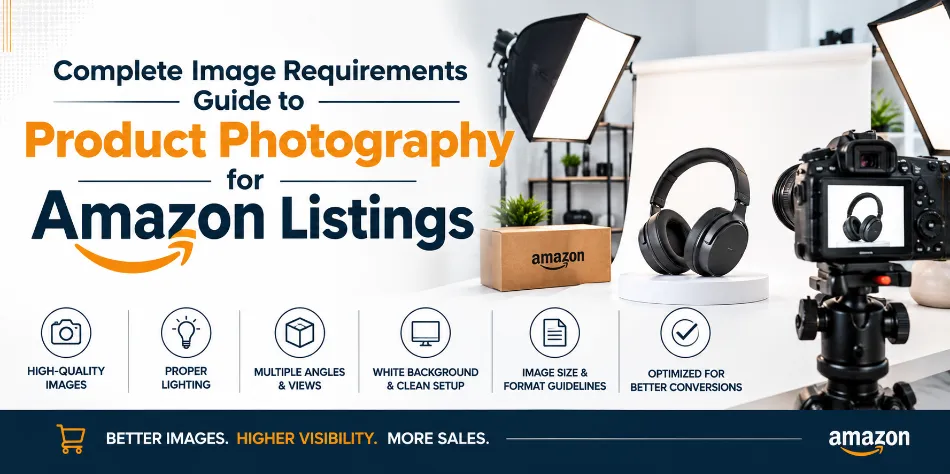
Your Amazon product images have two jobs: help your listing meet Amazon’s image requirements and give shoppers enough confidence to buy. A technically correct photo can still underperform if the product looks small, unclear, poorly lit, or difficult to understand.
If you are preparing images for an Amazon listing, start with these core requirements:
|
Image Requirement |
What You Should Know |
|
Main image background |
Pure white, RGB 255, 255, 255 |
|
Product coverage |
Product should fill at least 85% of the frame |
|
Image dimensions |
500–10,000 px on the longest side |
|
Zoom |
,000 px minimum to activate zoom; 1,600 × 1,600 px to 2,000 × 2,000 px (1:1 square) recommended for sharp display on modern smartphone screens. |
|
Main image content |
Show the actual product being sold |
|
Text & watermarks |
Avoid text, promotional graphics and watermarks on the main image |
|
File formats |
JPEG is generally preferred; PNG, TIFF and non-animated GIF are also supported |
Amazon’s requirements can vary by product type, so you should always check the current Seller Central guidance for your category before uploading.
Why Amazon Product Photography Matters
When a customer walks into a physical store, they can pick up a product, turn it around, check its finish and judge its size. On Amazon, your photographs have to do that work for you.
A strong image set helps shoppers understand the product before they read every bullet point. It can show the actual size, material, features, usage, included accessories and small details that are difficult to explain with text alone.
That is why professional Amazon product photography is not simply about making a product look attractive. You are creating a visual sales tool while working within marketplace requirements.
Quick Rules for Your Amazon Main Image
The main image is usually the first visual a shopper sees in search results, so it needs both clarity and compliance.
Use a pure white background
For the main product image, Amazon specifies a pure white background, commonly represented as RGB 255, 255, 255 or #FFFFFF. An off-white, grey or visibly coloured background can make an otherwise good photograph non-compliant.
Getting clean white is more than placing a product against a white wall. Lighting, reflections and shadows can affect the background, especially with glossy, metallic or transparent products. A controlled studio setup helps keep both the background clean and the product properly exposed.
Before uploading, open the final image in Photoshop or Canva and use the Eyedropper tool to check all four corners. Each corner should read RGB 255, 255, 255 (or #FFFFFF). If you find a grey, cream or tinted value, clean up the background before submission.
Make the product large enough
Amazon says the product should occupy at least 85% of the image area for the main image. Keep the product prominent without cutting off important edges or details.
Too much empty space can make the product look small, especially when shoppers view search results on mobile.
Show exactly what the customer is buying
Your main image should accurately represent the product listed for sale.
If a water bottle doesn't include a bag, fruits or gym accessories, don't add them to the main image. Also ensure you photograph the correct colour, size, model and variation.
The goal is simple: the customer should know exactly what they are buying.
Keep promotional elements out of the main image
The main image is not the place for:
-
“Best Seller” badges
-
Discount stickers
-
“Buy Now” messages
-
Free-shipping graphics
-
Watermarks
-
Decorative borders
-
Promotional text
Keep the hero shot clean and use appropriate secondary images to communicate features and benefits.
What Should Your Other Amazon Images Show?
Once the main image has earned the click, your remaining images should answer the questions that could stop someone from buying.
A useful way to plan the listing is to give every image a specific purpose.
|
Image |
Purpose |
What to Show |
|
Main image |
Win the click |
Clean hero product shot |
|
Angle/detail |
Build confidence |
Side, rear, top or close-up view |
|
Dimensions |
Explain size |
Accurate measurements and scale |
|
Features |
Explain benefits |
Key features with simple graphics |
|
Lifestyle |
Show usage |
Product being used naturally |
|
What's included |
Remove uncertainty |
Complete box contents |
|
Detail shot |
Show quality |
Texture, finish, stitching, ports or controls |
You don't need to force the same sequence on every product. A piece of jewellery, a kitchen appliance and a sofa all need different visual treatment.
The principle is more important than the formula: each image should answer a customer question.
The Product Photography Shot List
Before your shoot begins, prepare a shot list rather than taking random angles.
For most products, consider:
Front view: Your cleanest representation of the product.
Side and rear views: Useful for showing depth, connections, zippers, controls, labels or construction.
Close-ups: Capture material, texture, stitching, finish, buttons, ports or other details that communicate quality.
Dimensions: Show accurate height, width, depth or capacity. This can help reduce misunderstandings about product size.
Lifestyle image: Show how the product looks when it is actually being used.
What's-in-the-box image: Photograph every important component, accessory, cable, attachment or manual included with the purchase.
This planning stage is often where professional photography makes a difference. Good lighting cannot compensate for a missing shot that a customer genuinely needed to see.
How to Make Secondary Images More Useful
Think of your secondary images as answers to buyer objections.
A customer might be asking:
-
How large is it?
-
What material is it made from?
-
How does it work?
-
Will it fit my space?
-
What accessories are included?
-
What does it look like when used?
-
What makes it different from another product?
Your images should answer those questions quickly.
For infographic images, keep the message short and easy to read on a mobile screen. If you have to zoom in heavily to understand the text, the design needs another round of editing.
Good Amazon graphics are usually simple: one clear feature, a strong product photograph and enough supporting information to make the point without turning the image into a poster.
Lifestyle Photography: Show the Product in Context
A lifestyle image helps the customer imagine owning your product.
For fashion, that may mean showing the garment on a model. For home products, it could mean showing the item in a realistic room. For electronics, it may involve demonstrating how the product is held, connected or used.
The setting should support the product rather than compete with it.
Keep scale realistic, use relevant props and make sure the product remains the visual focus. Most importantly, don't use lifestyle photography as a substitute for the clean main image.
Category-Specific Photography Tips
Different products need different visual proof.
Fashion and apparel: Show fit, fabric texture, front and back views, important details and the way the product looks when worn.
Jewellery: For jewellery photography, Use controlled lighting to reveal finish and detail without creating distracting reflections. A worn shot can also communicate scale effectively.
Electronics: For electronics, Photograph ports, buttons, screens, cables, controls and included accessories. Customers often want to inspect these details before purchasing.
Home and kitchen: Focus on dimensions, materials, functionality and real-life usage. Show enough angles to communicate the product's shape.
Furniture: Include multiple views, dimensions, material details and a room setting that gives shoppers a realistic sense of scale.
Beauty and packaged products: Make the packaging clear and readable where relevant, while ensuring the photographed product matches the actual item customers will receive.
Common Amazon Image Mistakes
Some problems are surprisingly simple to avoid.
-
Using a grey or visibly off-white main background
-
Making the product too small within the frame
-
Adding promotional text to the main image
-
Photographing the wrong variation
-
Uploading soft or blurry images
-
Using heavy reflections that hide product details
-
Making infographic text too small for mobile viewing
-
Showing accessories that are not included
-
Using a lifestyle scene that makes the product difficult to identify
-
Retouching the product so heavily that its actual appearance changes
Amazon can reject or remove images that don't meet its requirements, so compliance should be checked before the listing goes live.
SnapRich Amazon Product Photography Services Across India
A good shoot starts before the camera is switched on. At SnapRich, we first understand your product, category and listing requirements, then plan the right shots, lighting, product preparation and styling.
Our end-to-end process includes:
-
Product preparation and shot planning
-
Controlled studio photography with multiple angles and detail shots
-
Background cleanup, retouching, colour and exposure correction
-
Cropping, resizing and compliance checks
-
Final Amazon-ready image delivery
For reflective, metallic, transparent or textured products, we use carefully positioned lighting to capture details accurately without harsh glare or loss of texture.
We provide professional Amazon product photography for sellers and brands across India, with 15+ years of experience, Pan-India service, and photography starting from ₹49 per photo depending on the product and volume. 24–72-hour express delivery is also available for eligible projects.
Whether you need images for one product or a large catalogue, we handle the photography and post-production so you receive clean, professional, marketplace-ready images.
Amazon Image Checklist Before You Upload
Before publishing your images, check:
-
Is the main background pure white?
-
Does the main product fill enough of the frame?
-
Is the correct product variation shown?
-
Is the product sharp at full size and when zoomed?
-
Are the dimensions accurate?
-
Have you shown important features?
-
Have you included useful angles and close-ups?
-
Is the lifestyle image realistic?
-
Is everything shown in the “what's included” image actually included?
-
Can infographic text be read easily on a phone?
-
Have you checked the latest category-specific Amazon requirements?
A few minutes of checking can save you from having to redo an entire image set later.
Frequently Asked Questions
What background should an Amazon main image have?
The main image should use a pure white background, generally RGB 255, 255, 255. Always check the current requirements applicable to your product category before publishing.
What is the recommended Amazon image resolution?
Amazon currently allows images from 500 to 10,000 pixels on the longest side and recommends images of at least 1,000 px minimum to activate zoom; 1,600 × 1,600 px to 2,000 × 2,000 px (1:1 square) recommended for sharp display on modern smartphone screens.
Can you add text to an Amazon main image?
You should not add promotional text, marketing graphics or watermarks to the main image. Secondary images can be used to communicate product information where permitted by Amazon's applicable requirements.
How many images should an Amazon listing have?
Amazon recommends using at least six images and one video, although the ideal number depends on your product and how much visual information customers need before buying.
Can SnapRich handle Amazon photography for sellers outside Delhi?
Yes. We provide Pan-India service, so you can coordinate shipment of your products to our Delhi studio and receive the finished images digitally.
Ready to Get Your Amazon Product Images Done?
You don't need to guess which angles to shoot, how large the product should appear, or how to turn a basic product photograph into a complete listing image set.
We can plan, photograph, retouch and prepare your Amazon product images for you.
SnapRich offers professional Amazon product photography across India, with services starting from ₹49 per photo and express delivery available in 24–72 hours for eligible projects.
SnapRich
A-1/59, 1st Floor, Sector-6, Rohini, Delhi–110085
Email: info@snaprich.in
Phone: +91-9560520309
Get in touch with SnapRich and tell us what products and number of SKUs you need photographed. We'll help you plan the right image set for your listings.
Trusted by 150+ Brands in India
























What Customers Say About SnapRich
Based on 118 reviews

Tarun Arora

SnapRich truly exceeded our expectations! We hired them for our product shoot and the results were sharp, vibrant, and professionally edited. The team was punctual and easy to work with. Definitely one of the best photography services in India. Highly recommended!
Vivek 007
I had a great experience with SnapRich. Their attention to detail and the way they handled lighting during our corporate shoot was impressive. The photos turned out amazing. If you're looking for a reliable and skilled product photographer, this is the team to go for
Saurabh Pal
SnapRich delivered exactly what we needed. The shoot was organized well, and the quality of the images was top-notch. They’re very professional and understand brand requirements perfectly. One of the best photography services we’ve used so far. Great job!
Neha Joshi
Very happy with the photography service from SnapRich. They’re well-equipped, punctual, and know how to capture products in the best way. The images came out crisp and helped boost our online catalog. A reliable team for product photography in India.
Vikram Saini
Excellent work by the SnapRich team. From setup to final edits, everything was smooth. Their product photography service brought life to our collection. You can tell they’re passionate and skilled. One of the best in the business. Will definitely rebook!
Get in Touch
We’re just a message away – connect with SnapRich!
Book Your FREE Photography Consultation Now!

Our USP
Unbeatable Price
Professional photography starting from ₹49 per photo. No hidden costs. Affordable for all—from startups to big brands.
Fast Delivery
Need it quick? We offer express delivery in 24–72 hours so your listings go live on time, every time.
On-Time, Every Time
We never miss deadlines. Our process ensures timely delivery—smooth from booking to final delivery.
Studio-Grade Quality
15+ years of experience, high-end equipment, and editing precision deliver stunning visuals for any platform.
- Address: A-1/59, 1st Floor, Sector-6, Rohini Delhi-110085
- Email: info@snaprich.in
- Phone: +91-9560520309
Popular Search
- Handbags & Clutches
- Fan & Ventilation
- Bra
- Kurta Palazzo Set
- Kurti
- Lingerie / Bikini
- Panty
- Tops
- Boots
- Formal Shoes
- Bellies Sandals
- Earrings
- Leather Shoes
- Slippers
- Sandals
- Heels
- Electric Vehicles
- Medical & Healthcare
- Construction & Infrastructure
- Female Model
- Corporate Headshot
- Air Cooler
- Lock & handles
- Wall Mount
- Miscellaneous Hardware
- Handbags & Clutches
- Fan & Ventilation
- Bra
- Kurta Palazzo Set
- Kurti
- Lingerie / Bikini
- Panty
- Tops
- Boots
- Formal Shoes
- Bellies Sandals
- Earrings
- Leather Shoes
- Slippers
- Sandals
- Heels
- Electric Vehicles
- Medical & Healthcare
- Construction & Infrastructure
- Female Model
- Corporate Headshot
- Air Cooler
- Lock & handles
- Wall Mount
- Miscellaneous Hardware