
Myntra Image Guidelines and Photoshoot Requirements for Fashion Brands
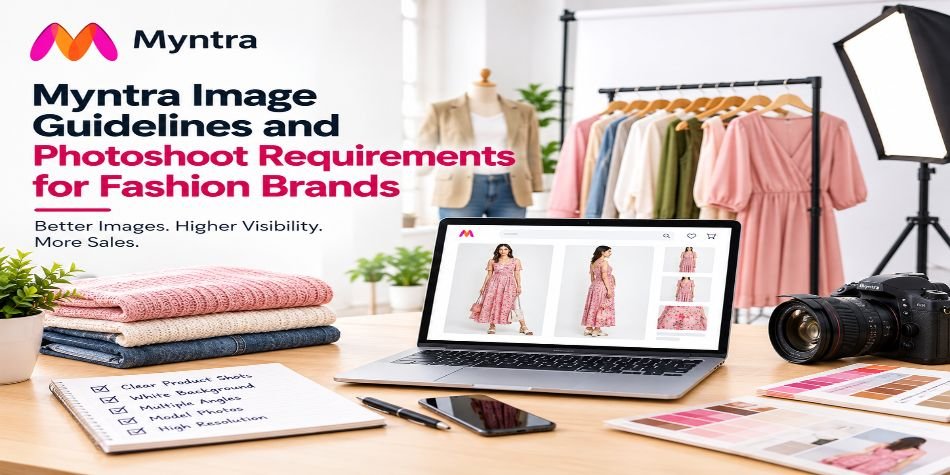
Shoot Myntra images in 3:4 portrait, at 1500 x 2000 px or larger, as sRGB JPEG. Apparel generally needs at least five images per style: front on-model, back, a three-quarter or side view, a fabric detail, and a styled look. The model should match the garment’s gender, and visible mannequins are out.
We need to be upfront about the source. Myntra’s real specs live behind its partner portal, and most of what’s public comes from studios and software companies selling photo services, ourselves included. So this guide lines up what several of those sources agree on, flags where they don’t, and tells you what to confirm with your Myntra account manager before a single frame is shot.
What are Myntra’s image requirements?
|
Item |
Commonly reported |
Note |
|---|---|---|
|
Aspect ratio |
3:4 portrait |
The most consistent rule across sources |
|
Size |
1080 x 1440 px minimum in one guide, 1500 x 2000 px in another |
Shoot at 1500 x 2000 or larger and you clear both |
|
Format |
JPEG, sRGB |
Keep quality high, around 85-95 |
|
First image background |
Pure white, per one guide |
Others say white or light neutral by category |
|
Later image backgrounds |
Light grey or neutral is common |
Varies |
|
Overlays |
None: no watermark, logo or text |
|
|
Product fill |
Roughly 80-90% of the frame |
One guide also recommends a 2000 x 2000 px “hero” size. That’s a square and it contradicts the 3:4 rule the same guide calls mandatory. We’d ignore the square and stay with 3:4. When sources contradict each other, follow the rule that is repeated most often, and then ask Myntra.
The shot list: five images per style
A common structure for apparel, in order:
-
Front, on-model. Full-length or close to it, facing the camera, clean background. This is your thumbnail, so it does most of the selling.
-
Back, on-model. Same model, same styling. Buyers check backs for fit, cut-outs and prints.
-
Three-quarter or side. Roughly 45 degrees. Shows drape and silhouette that flat front shots hide.
-
Fabric or trim detail. Close-up. This one needs no model.
-
Styled look. Full-length with coordinating pieces, so the buyer sees how to wear it.
More is fine. Some guides recommend 8 to 10 images per listing; more angles reduce returns on fit-sensitive categories. How many is right for your product? We worked through that in how many product angles you really need.
Footwear, accessories and jewellery use different shot maps, and your category may have its own. Ask for it.
Model rules that get shoots rejected
-
Gender match. Women’s wear on a female model, men’s wear on a male model, kidswear on a child in the right size band.
-
Same model across a style. Changing models between angles of one SKU confuses the buyer and can fail a check.
-
Full body in the primary image. Headless or shoulder-cropped shots belong in the detail slot, not slot one.
-
No visible mannequin. Stands and clips should not be visible.
-
No off-SKU props. A handbag, sunglasses or hat that you aren’t selling can get the image flagged.
-
Pressed garments. Wrinkles are one of the most frequently reported rejection reasons. Steam on set, not afterwards in editing.
Model, ghost mannequin or flat lay?
This is the decision that changes your budget the most, so decide it before you book anything.
-
On-model is the default for most Myntra apparel, and the safest for anything fitted, draped or styled.
-
Ghost mannequin (the invisible-mannequin look) suits structured pieces like shirts, jackets and kurtas. Sources disagree on whether Myntra accepts it, with some calling it tolerated and others discouraging it. Confirm per category.
-
Flat lay works for basics such as T-shirts, towels, innerwear and kidswear, and for detail slots.
A practical split: on-model for slots one to three, a flat or macro shot for fabric, and a styled look to finish. It costs more than a ghost-only shoot, but fashion is the category where returns punish weak images. For pricing in Delhi, see our model photoshoot cost guide. For the wider approach, catalog fashion photography: the complete guide goes deeper.
Why Myntra rejects fashion photos
From the guides we reviewed, the most commonly listed causes:
-
Wrong aspect ratio, typically 1:1 uploaded instead of 3:4
-
Resolution below the minimum
-
Visible wrinkles
-
Colour cast or inconsistent white balance between images
-
Visible mannequin or clips
-
Model gender mismatch
-
Props that aren’t part of the SKU
-
Motion or focus blur
-
Headless or cropped model in the primary slot
-
Over-editing that shifts the garment’s real colour
The ranking itself comes from a third-party page and isn’t backed by data, so don’t treat the order as gospel. The list, though, is consistent with what we see when images bounce.
Colour accuracy deserves its own note. A returned order for “colour not as shown” is more expensive than a rejected image, because you pay for shipping both ways. Calibrate your monitor, keep white balance fixed across the whole shoot, and don’t boost saturation.
Before you book a Myntra shoot
Run through these:
-
Ask your Myntra category manager for the current image guideline for your category. Get it in writing or as a screenshot.
-
Decide on-model, ghost or flat, per style.
-
Send styles pressed and tagged, with accessories separated.
-
Give the studio the SKU list and the number of images per SKU.
-
Agree on colour matching: bring the actual garment, not a swatch.
Our Rohini studio shoots Myntra-style catalogues with female, male and kid models. See the Myntra photography page for what we do.
FAQ
What are Myntra image guidelines?
In short: 3:4 portrait images, at least 1500 x 2000 px, in sRGB JPEG, with a clean background, no text or watermarks, and a gender-matched model for apparel. Confirm exact specs for your category with Myntra.
What size are Myntra images?
Sources differ: 1080 x 1440 px as a minimum in one guide, 1500 x 2000 px in another. Shooting at 1500 x 2000 px or larger in 3:4 satisfies both.
How many images does Myntra need per product?
Apparel commonly needs at least five: front, back, three-quarter or side, a detail and a styled look. Some guides suggest 8 to 10 for a stronger listing.
Does Myntra allow ghost mannequin images?
Sources disagree. Some say it’s tolerated in certain categories, others discourage it. Ask your category manager before choosing it for a whole collection.
Do I need a model for Myntra?
For most apparel, on-model images are the standard and the safest choice. Flat lay and detail shots can fill secondary slots.
What background does Myntra want?
Pure white or a light neutral, depending on category, with the first image generally on white. Check your category’s rule.
Why was my Myntra photoshoot rejected?
The usual causes are the wrong aspect ratio, low resolution, wrinkles, colour inconsistency, a visible mannequin, a mismatched model gender or off-SKU props.
Specs here are compiled from studio and software-vendor guides, because Myntra’s partner portal is not public. Last checked October 2026. Verify with your Myntra account contact before bulk shooting.
Plan your Myntra shoot. Share your style count and categories on WhatsApp (+91 95603 20309) and we’ll suggest the model and angle mix before quoting.
Trusted by 150+ Brands in India
















What Customers Say About SnapRich
Based on 118 reviews

Tarun Arora

SnapRich truly exceeded our expectations! We hired them for our product shoot and the results were sharp, vibrant, and professionally edited. The team was punctual and easy to work with. Definitely one of the best photography services in India. Highly recommended!
Vivek 007
I had a great experience with SnapRich. Their attention to detail and the way they handled lighting during our corporate shoot was impressive. The photos turned out amazing. If you're looking for a reliable and skilled product photographer, this is the team to go for
Saurabh Pal
SnapRich delivered exactly what we needed. The shoot was organized well, and the quality of the images was top-notch. They’re very professional and understand brand requirements perfectly. One of the best photography services we’ve used so far. Great job!
Neha Joshi
Very happy with the photography service from SnapRich. They’re well-equipped, punctual, and know how to capture products in the best way. The images came out crisp and helped boost our online catalog. A reliable team for product photography in India.
Vikram Saini
Excellent work by the SnapRich team. From setup to final edits, everything was smooth. Their product photography service brought life to our collection. You can tell they’re passionate and skilled. One of the best in the business. Will definitely rebook!
Get in Touch
We’re just a message away – connect with SnapRich!
Book Your FREE Photography Consultation Now!

Our USP
Unbeatable Price
Professional photography starting from ₹49 per photo. No hidden costs. Affordable for all—from startups to big brands.
Fast Delivery
Need it quick? We offer express delivery in 24–72 hours so your listings go live on time, every time.
On-Time, Every Time
We never miss deadlines. Our process ensures timely delivery—smooth from booking to final delivery.
Studio-Grade Quality
15+ years of experience, high-end equipment, and editing precision deliver stunning visuals for any platform.
- Address: A-1/59, 1st Floor, Sector-6, Rohini Delhi-110085
- Email: info@snaprich.in
- Phone: +91-9560520309
Popular Search
- Handbags & Clutches
- Fan & Ventilation
- Bra
- Kurta Palazzo Set
- Kurti
- Lingerie / Bikini
- Panty
- Tops
- Boots
- Formal Shoes
- Bellies Sandals
- Earrings
- Leather Shoes
- Slippers
- Sandals
- Heels
- Electric Vehicles
- Medical & Healthcare
- Construction & Infrastructure
- Female Model
- Corporate Headshot
- Air Cooler
- Lock & handles
- Wall Mount
- Miscellaneous Hardware
- Handbags & Clutches
- Fan & Ventilation
- Bra
- Kurta Palazzo Set
- Kurti
- Lingerie / Bikini
- Panty
- Tops
- Boots
- Formal Shoes
- Bellies Sandals
- Earrings
- Leather Shoes
- Slippers
- Sandals
- Heels
- Electric Vehicles
- Medical & Healthcare
- Construction & Infrastructure
- Female Model
- Corporate Headshot
- Air Cooler
- Lock & handles
- Wall Mount
- Miscellaneous Hardware